A guided kit for ChatGPT or Claude
First Digital Product Workshop
Turn something you know into a small, complete teaching product.
A defined buyer task, a complete first edition, a quality review, a small demand test and honest sales materials.
For creators and specialists with practical experience to teach.
Is this kit for you?
A good fit if
- You know how to do something practical that others want to learn.
- You would rather finish a small product than plan a big course.
- You want to test interest before you build too much.
Not the right kit if
- You do not yet have hands-on experience to teach. The kit needs your own subject knowledge.
- You need a shop, payment setup or video lessons. They are not included.
- You are looking for guaranteed sales.
The lessons
What you’ll make, lesson by lesson.
Each lesson explains the decisions, gives you prompts to copy and ends with something finished.
- Lesson 1
Find a task you can teach from evidence
You make: An expertise inventory and a buyer task.
- Lesson 2
Choose the format and test the premise
You make: A product brief and a small demand experiment.
- Lesson 3
Teach one decision at a time
You make: A complete first edition.
- Lesson 4
Review the learning and the artifact
You make: A defect list and a corrected version.
- Lesson 5
Write the sales page from the finished files
You make: A product description, FAQ and sample.
- Lesson 6
Package, learn and maintain
You make: A delivery folder, version record and next experiment.
A defined buyer task, a complete first edition, a quality review, a small demand test and honest sales materials.
Inside the kit
Three useful photos. One small finish line.
An excerpt from an authored, fictional teaching example.
01 · Full view — what is it? 02 · Relevant detail — what should I inspect? 03 · Scale or context — how does it fit? Make the set. Review it. Record one correction.
Read the source context
The included Three Useful Product Photos sample teaches a phone-photo exercise for one small, mostly matte object, using a window and a plain surface. It is an authored teaching sample, not a learner success story.
A closer look
Actual files.
Ready for your own work.
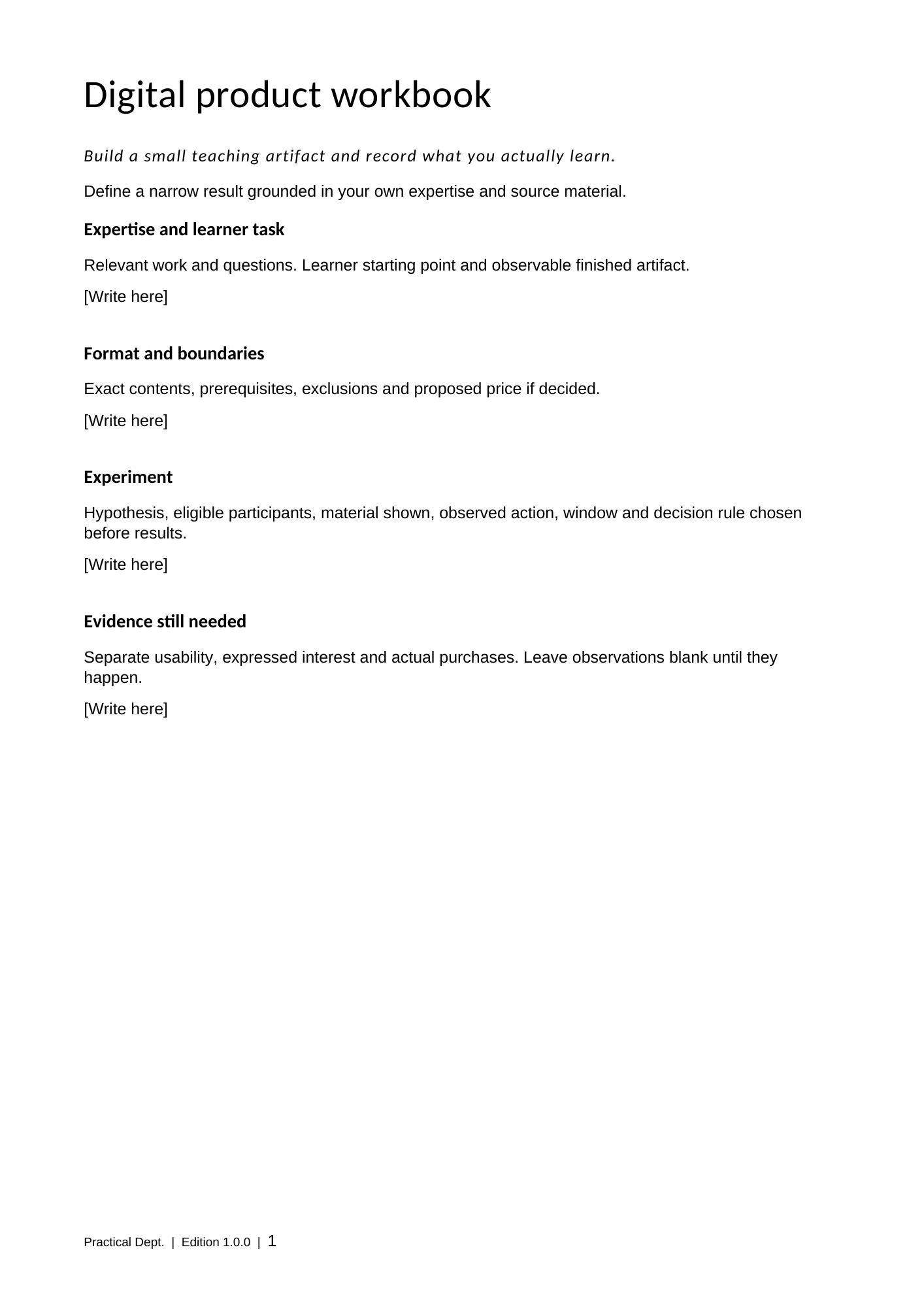
These are pages from the included editable files. The workbook guides the decisions; the spreadsheet keeps the details together.
Your download
Keep the process.
Make it your own.
6 lessons · 5 workflows · 2 worked cases
- Offline field guide
Six lessons and five copyable workflows.
- Two worked cases
A photographer’s product and an illustrator’s portfolio exercise.
- Complete sample product
Three photo lessons, two diagrams and a four-page Word workbook.
- Planning files
Three-page Word workbook, four text templates and an Excel experiment tracker.
- Reusable instructions
Plain text, an optional Claude skill and a Cowork task.
Before you start
What you need.
One ordinary conversation: bring your material, work through the decisions and keep an editable result.
- A ChatGPT or Claude account
Paste the prompts into a normal conversation and copy the results out. No coding, installs or account connections. Your account’s usage limits apply.
- Your own material
Something practical you know how to do well. Or work through the photographer example and the included sample product first.
- Word or Excel, if you like
The workbook and spreadsheet are optional. Plain-text templates cover the same steps in any document or notes app.
Questions before you buy
What if the kit isn’t right for me?
Work through the first lesson. If the kit isn’t useful, email us within 14 days of purchase with your order number and a line on what didn’t work, and we’ll refund the full price. One refund per customer. Refunds are issued through Polar, our payment provider, to your original payment method. A refunded order’s download access and included support end with the refund.
How do I get the files?
You can download the kit straight after checkout, and Polar emails your receipt with a link back to your files. The kit is one ZIP file: extract it and open START-HERE.html in your browser.
Do I need to install a skill or use Cowork?
No. Those are optional routes where your account supports them. The core lessons use copy-and-paste text. Optional installation varies by account and has not been verified in every environment.
Can I use it for client work?
Yes. Use and adapt the materials for your own work and for work you deliver to clients. Reselling or sharing the kit itself isn’t allowed.
What does this kit leave to me?
A shop, payment setup, video lessons and guaranteed sales are not included. Bring your own subject knowledge.
What if I get stuck?
30 days of installation and getting-started help from purchase. We aim to reply within 2 business days, Monday–Friday excluding Serbian public holidays. This is a first-response target, not a guaranteed resolution time.